Hi Folks,
I am stuck; cannot figure out how to solved this issue. I have desktop running with the vnc server fine when I don’t use the GPU but I have cases where some apps need to use the GPU to do some of the work at the backend to reduce front end load.
I have install virtualgl to try make this work but it fails.
How have I set this up?
I ran the virtualgl config utility which created a virtualgl group. I then added users to this group
I have tried all of the following:
$USER/ondemand/dev/bc_desktop/template/desktops/xfce.sh
/usr/bin/vglrun -d /dev/dri/card1  +v xfce4-session
and tried:
/usr/bin/vglrun +v xfce4-session
and tried:
/opt/TurboVNC/bin/vncserver -xstartup /usr/bin/vglrun startxfce4
output.log
Setting VNC password...
Starting VNC server...

Desktop 'TurboVNC: gpu002.meerkat.mcri.edu.au:1 (chris.welsh)' started on display gpu002.meerkat.mcri.edu.au:1

Log file is vnc.log
Successfully started VNC server on gpu002.meerkat.mcri.edu.au:5901...
Script starting...
Starting websocket server...
Launching desktop 'xfce'...
[websockify]: pid: 103808 (proxying 42992 ==> localhost:5901)
[websockify]: log file: ./websockify.log
[websockify]: waiting ...
[VGL] Shared memory segment ID for vglconfig: 98361
[VGL] VirtualGL v3.1.3 64-bit (Build 20250409)
[VGL] NOTICE: Replacing dlopen("libGLX.so.1") with dlopen("libvglfaker.so")
[VGL] Opening connection to 3D X server :0
[VGL] ERROR: Could not open display :0.
[VGL] Shared memory segment ID for vglconfig: 98362
Desktop 'xfce' ended with 1 status...
[websockify]: started successfully (proxying 42992 ==> localhost:5901)
Scanning VNC log file for user authentications...
Generating connection YAML file...
Cleaning up...
Killing Xvnc process ID 103784
Here’s the drivers setup:
[root@gpu002 dri]# ls -l
total 0
drwxr-xr-x. 2 root root          100 Sep  8 20:31 by-path
crw-rw----. 1 root vglusers 226,   0 Sep  8 20:31 card0
crw-rw----. 1 root vglusers 226,   1 Sep  8 20:31 card1
crw-rw----. 1 root vglusers 226, 128 Sep  8 20:31 renderD128
Here is the Nvidia-smi command:
[root@gpu002 dri]# nvidia-smi
Tue Sep  9 14:11:37 2025
+-----------------------------------------------------------------------------------------+
| NVIDIA-SMI 565.57.01              Driver Version: 565.57.01      CUDA Version: 12.7     |
|-----------------------------------------+------------------------+----------------------+
| GPU  Name                 Persistence-M | Bus-Id          Disp.A | Volatile Uncorr. ECC |
| Fan  Temp   Perf          Pwr:Usage/Cap |           Memory-Usage | GPU-Util  Compute M. |
|                                         |                        |               MIG M. |
|=========================================+========================+======================|
|   0  NVIDIA A30                     Off |   00000000:21:00.0 Off |                    0 |
| N/A   31C    P0             30W /  165W |       1MiB /  24576MiB |      0%      Default |
|                                         |                        |             Disabled |
+-----------------------------------------+------------------------+----------------------+

+-----------------------------------------------------------------------------------------+
| Processes:                                                                              |
|  GPU   GI   CI        PID   Type   Process name                              GPU Memory |
|        ID   ID                                                               Usage      |
|=========================================================================================|
|  No running processes found                                                             |
+-----------------------------------------------------------------------------------------+
lsmod | grep Nvidia
nvidia_drm            143360  0
nvidia_modeset       1413120  1 nvidia_drm
nvidia_uvm           3895296  0
nvidia              70705152  2 nvidia_uvm,nvidia_modeset
This GPU server works fine with normal slurm jobs allocated to it. But I want to test to see if I can leverage it for OOD GPU optimised desktops.
Note: I also tried to run virtualgl once the desktop is started (without trying to start it with virtualgl, i.e. just “xfce4-session”) and got the following:


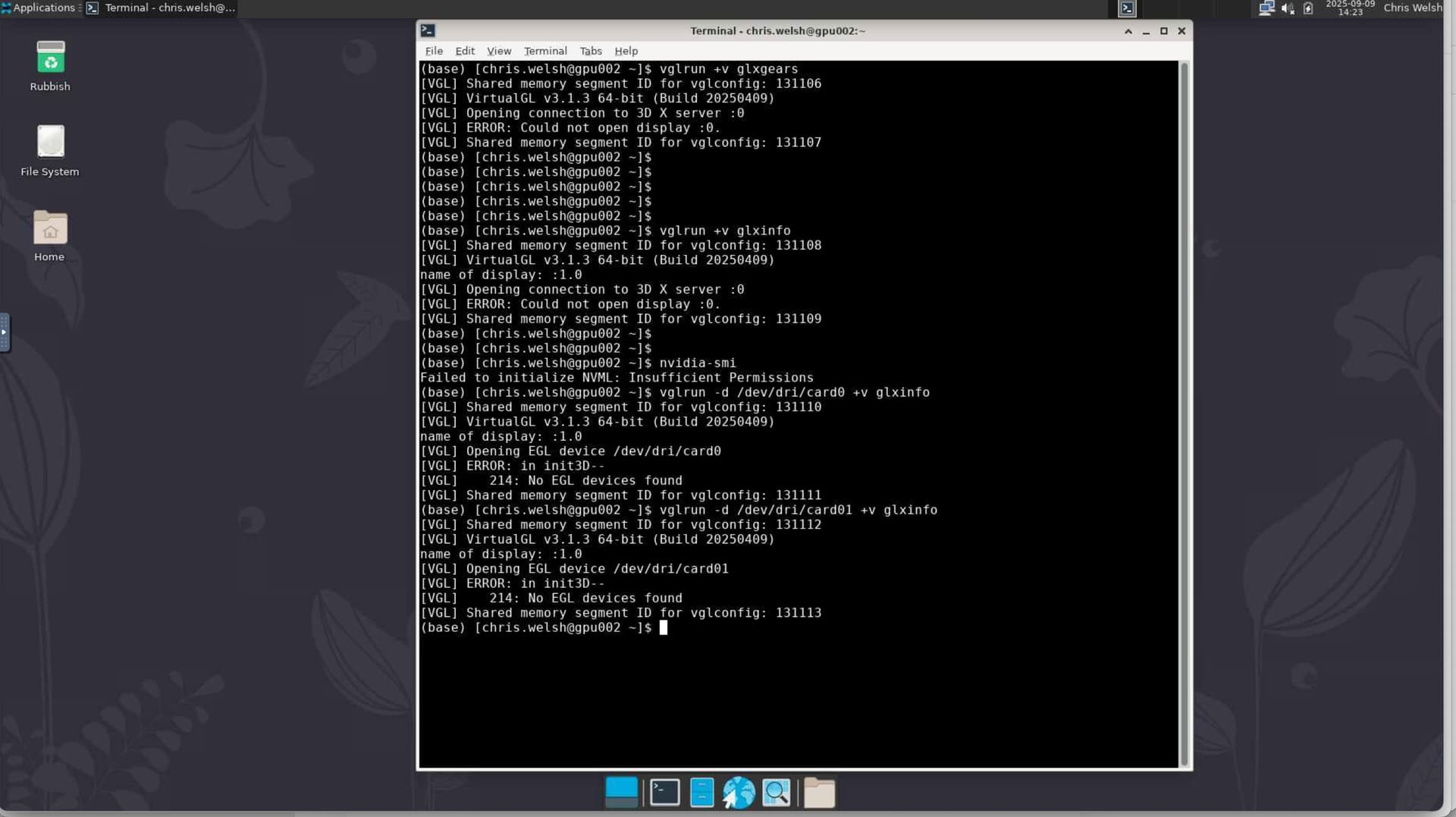
Note from the above pic with in the desktop I cannot open a display
Note also that I cannot run gxlinfo I cannot open a display
Below you will see it complaining about ERROR: in init3D (EGL). does not matter if I specify /dev/dri/card0 or /dev/dri/card1
(base) [chris.welsh@gpu002 ~]$ vglrun -d /dev/dri/card1 +v glxinfo
[VGL] Shared memory segment ID for vglconfig: 131114
[VGL] VirtualGL v3.1.3 64-bit (Build 20250409)
name of display: :1.0
[VGL] Opening EGL device /dev/dri/card1
[VGL] ERROR: in init3D--
[VGL]    214: No EGL devices found
[VGL] Shared memory segment ID for vglconfig: 131115
(base) [chris.welsh@gpu002 ~]$
Final observations is that I can run “nvidia-smi” when I directly ssh into the server with my account, but cannot when use the OOD desktop
(base) [chris.welsh@gpu002 ~]$ nvidia-smi
Failed to initialize NVML: Insufficient Permissions
(base) [chris.welsh@gpu002 ~]$
Any steps you can give me to work this through would be welcome. Oh, and selinux is set to permissive


 The
The