@DartCleek can you share your configurations? The timeout setting is in milliseconds not seconds - just an off the top guess as to what your issue may be.
This did work for a period of time but we are not sure exactly when it broke.
We originally had the file in /etc/ood/config/apps/shell
We have temporarily renamed the old directory to what you see below with shell being deleteme_shell
We currently have the shell app at /var/www/ood/apps/sys/shell, and its environment settings are stored in a .env.local file there, not an env. Should we put those environment variables into an env file?
We had things working originally. At some point in the last month or two it times out very quickly.
Initially the env file was in /etc/ood/config/apps/shell.
We recently moved each app into its own git repository. That change broke some things; we have since fixed parts of it.
After the change, we experimented and put the env file back in different places, but we didn’t notice the change that caused the timeout.
The OOD documentation directs us to use the /etc but for some reason we’re using /var. Not sure what the difference between the 2, we have all of our interactive apps under the
/var/www/ood/apps/sys/shell
We’re not sure which location is authoritative for customizations. I wonder if the environment settings needed by the dashboard, shell, job composer, desktop, etc., should be placed in an env file under /etc/ood/config/apps/shell (system configuration), rather than inside /var/www/ood/apps/sys/shell/.env.local (app-local file).
The correct path is /etc/ood/config/apps/shell/env - you seem to have deleteme_shell folder which is incorrect.
Do not use .env.local in the /var/www path as this will be overwritten when you update OOD. Same goes for the shell wrapper - that will be deleted when you upgrade as well.
One of my colleagues did that because all of our apps are in the /var/www directory and we had did a move to put them in git. We had renamed the shell directory to deleteme_shell in case we needed stuff there. Thank you!! I’ll bring this back to my team.
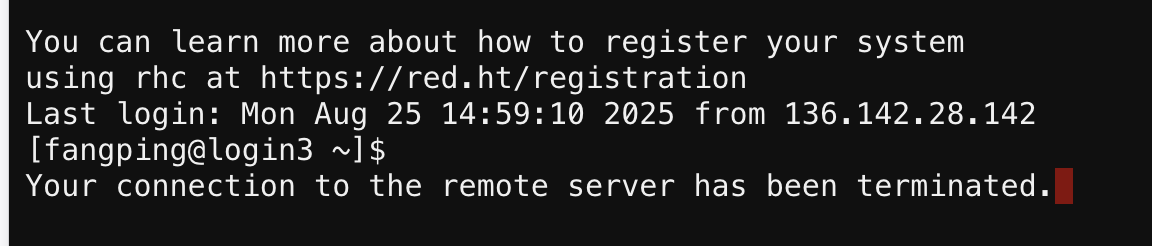
Edited to add we tried this again to just make sure, and we still time out within about 1minute to 90 seconds.
If you have the correct settings in /etc/ood/config/apps/shell/env, then I would look at the permissions of the file and ensure they’re readable by regular users.
OK so if permissions are correct then I guess I’d have to confirm the contents of the file.
Also note that the login server could be kicking you off. As in, the ssh settings on the login server itself preclude you from keeping the connection open.
Thanks. Wouldn’t that happen when we were directly ssh’ed into the server without using OOD?
I normally stay ssh’ed into the server for several hours and do not get kicked off. So I don’t think its the login server. I think we have an idea because we recently had moved a lot of our apps into git repositories, but not the shell so we’re going to do a rollback. Could this be a version issue with ood 4.0.6?
I don’t think so, I can’t replicate on our systems.
There’s something obvious that we’re missing. Something like it’s a windows formatted file and not being read correctly or something. Are there any errors in /var/log/ondemand-nginx/$USER/error.log when it boots up? Or maybe it’s as simple as a typo in the environment variable names that we’re just missing.
Sorry, Jeff, I just noticed this
cat /etc/ood/config/apps/shell/env
OOD_SSHHOST_ALLOWLIST=“\w+.redatcted.edu:\w+.hpcc.redacted”
OOD_DEFAULT_SSHHOST=“servername.redacted.edu”
OOD_SSH_WRAPPER=/usr/bin/ssh-kerb
Sorry I didn’t get back to you quickly on this. If you’re still having timeout issues - then I’d check the permissions on /etc/ood/config/apps/shell/env to be sure it’s world readable. I.e., the app that’s running as a regular users UID has to be able to read it.
Thanks. Jeff, we’ve checked all of that, and it is world-readable. It’s only the inactive timeout. We’re going to dig into a few more things on Thursday afternoon. We have a shell directory in two places and we want to test to see if removing it from one spot is what the issue is. We have one in the /etc/ood/config/apps/shell/env, and it also lives in /var/www/ood/apps/sys/shell; however, there is no env file. Though I can’t remember if that is expected or if there should be an env there as well.
I’d have to read the source code to see if it’s respected in this location. Regardless of whether it is or not, it’ll be overwritten when you update, so the /etc location is the proper spot for this file.
What version of OnDemand are you running? All this ping/pong and connectivity is only in 4.0. If you’re running a version less than that then none of those timeout/ping/pong settings are read or used.