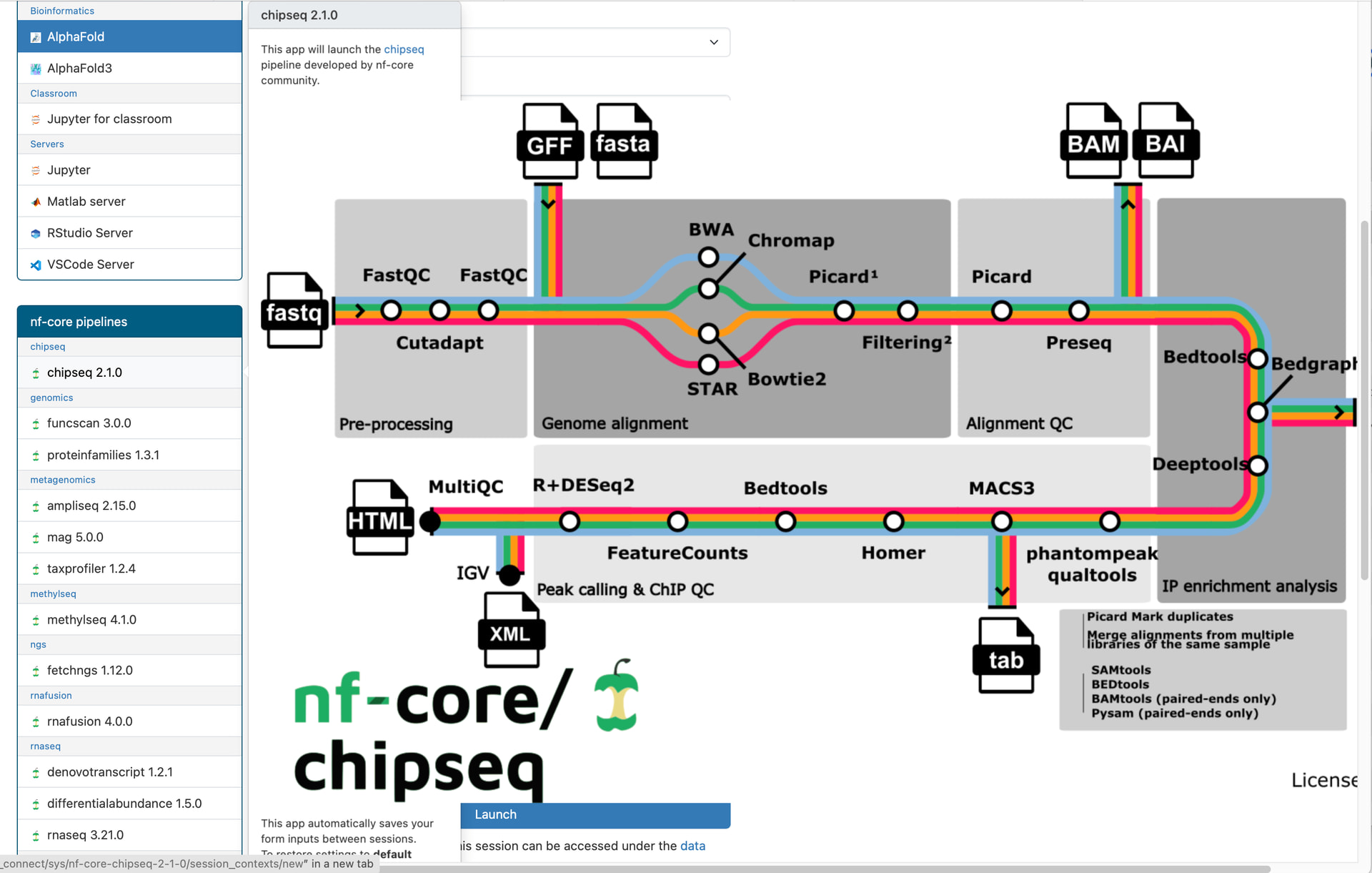
We are currently running OnDemand v4.0. To help users run applications, especially more complex ones, we added a substantial amount of user guidance to the description section of manifest.yml.erb. For some applications, we even embedded images within the description.
However, this has introduced an issue: when users hover over these applications in the left-side navigation bar, the full user guide (including images) is displayed and ends up occupying much of the screen, as shown in the screenshot below. This behavior is quite disruptive.
I am aware that adding a form.js file to each application can suppress this behavior, but this approach does not scale well and is not ideal to maintain. I’m wondering if there is a better solution. For example, is it possible to move the user guide content from manifest.yml.erb to form.yml.erb? I attempted this, but it did not work.
Any suggestions or best practices would be greatly appreciated.
The simplest way to fix this is to supply custom css to style the images in the popups. To keep it simple you can treat each app’s description the same, and you can change the appearances in the hovertext vs the appearance in the form, since the hovertext is underneath a div.popover-body.
If you would like the image to display but not fill the whole page, you could try
 .popover-body img {
   max-width: 100%
 }
Alternatively, if you want to hide the images in the hovertext and only show them above the form (which may make sense for the highly detailed image in your example), you can use
 .popover-body img {
   display: none
 }
Finally, if you need to treat different images with different rules, you can pass the image as straight html and assign a special class to it (and other images you want to render the same way). So using the description
description: |
  This app will launch [Mathematica] for use in a classroom.
  [Mathematica]: https://www.wolfram.com/mathematica/
  <img class='complex-image' src='https://upload.wikimedia.org/wikipedia/commons/thumb/2/20/Mathematica_Logo.svg/1151px-Mathematica_Logo.svg.png'>
You can then narrow the css rule to affect only images you have given that class to.
 .popover-body img.complex-image {
   display: none
 }
Hope that fixes it! We will also prevent those images from overflowing by default in the upcoming 4.1 release.
For example, is it possible to move the user guide content from manifest.yml.erb to form.yml.erb?
Now that I dig into this further, I did actually find something to do this, though it could definitely be better documented. You can pass a form_header attribute at the top of your form.yml, which will only be shown on the form. Here is a link to the relevant docs, and the form I tested this with looks like
Thanks so much, Braeden. I tried both of your recommended approaches, and they worked perfectly. I prefer the form_header method. I wasn’t aware of it before. Enjoy your Christmas!